Studio
The studio command launches a web-based dashboard for browsing evaluation runs, inspecting individual test results, and reviewing scores.
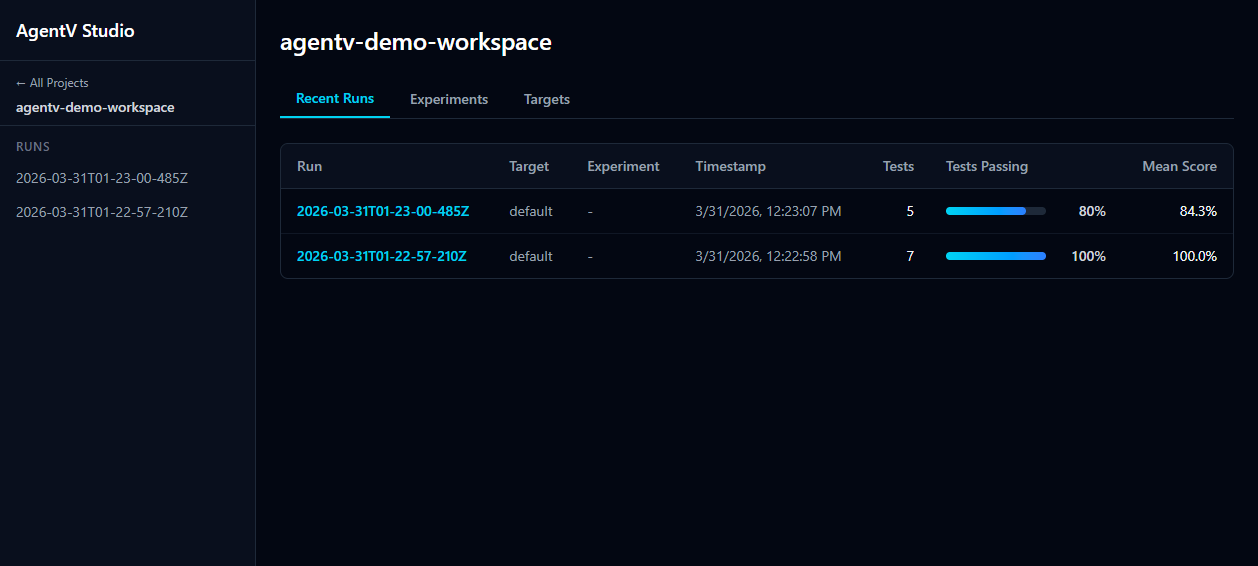
agentv studioStudio auto-discovers results from .agentv/results/ in the current directory and opens at http://localhost:3117.
You can also point it at a specific results file:
agentv studio .agentv/results/runs/2026-03-30T11-45-56-989Z/index.jsonlOptions
Section titled “Options”| Option | Description |
|---|---|
--port, -p | Port to listen on (flag > PORT env var > 3117) |
--dir, -d | Working directory (default: current directory) |
--multi | Launch in multi-project dashboard mode |
--add <path> | Register a project by path |
--remove <id> | Unregister a project by ID |
--discover <path> | Scan a directory tree for repos with .agentv/ |
Features
Section titled “Features”- Recent Runs — table of all evaluation runs with target, experiment, timestamp, test count, pass rate, and mean score
- Experiments — group and compare runs by experiment name
- Targets — group runs by target (model/agent)
- Run Detail — drill into a run to see per-test results, scores, and evaluator output
- Human Review — add feedback annotations to individual test results
Multi-Project Dashboard
Section titled “Multi-Project Dashboard”By default, Studio shows results for the current directory. The multi-project mode lets you view results across multiple repositories from a single dashboard.
Registering Projects
Section titled “Registering Projects”Register projects one at a time:
agentv studio --add /path/to/project-aagentv studio --add /path/to/project-bEach path must contain a .agentv/ directory. Projects are stored in ~/.agentv/projects.yaml.
Auto-Discovery
Section titled “Auto-Discovery”Scan a parent directory to find and register all projects:
agentv studio --discover /path/to/reposThis recursively searches (up to 2 levels deep) for directories containing .agentv/ and registers them.
Launching the Dashboard
Section titled “Launching the Dashboard”Once projects are registered, launch the multi-project dashboard:
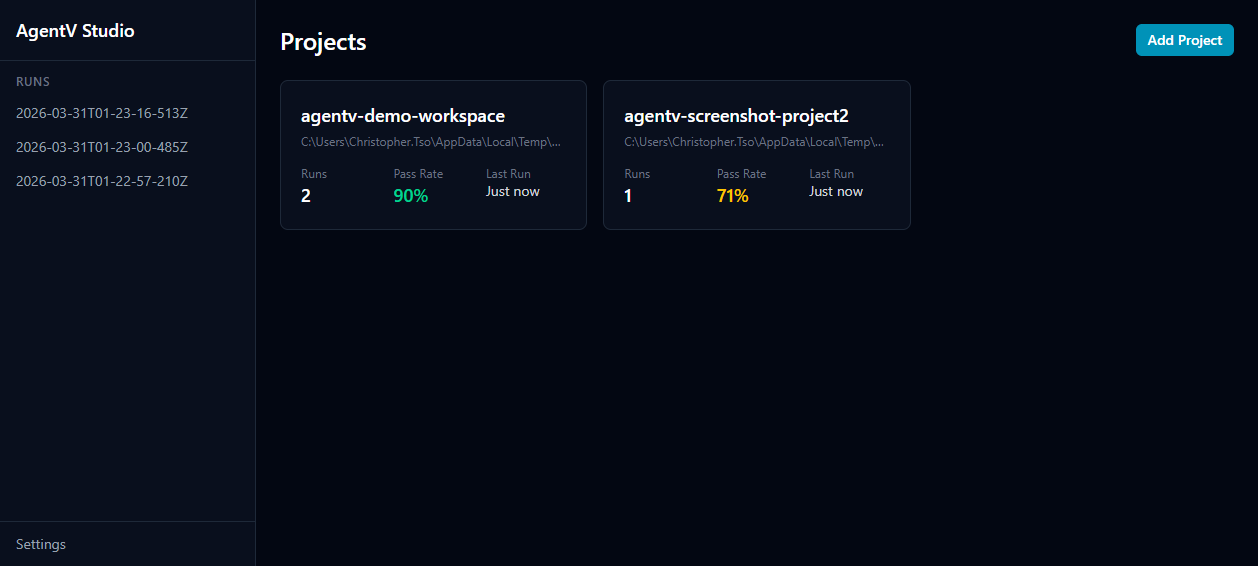
agentv studio --multiIf you have any registered projects, --multi is automatically enabled. The landing page shows a card for each project with run count, pass rate, and last run time. Click a project to view its runs.
Removing Projects
Section titled “Removing Projects”Unregister a project by its ID:
agentv studio --remove my-projectProject IDs are derived from the directory name (e.g., /home/user/repos/my-project becomes my-project).